
User experience design as a field is still finding its feet.
Most of us haven’t studied an interaction design course—we’ve learned on the job, from attending conferences and reading books and blogs. Additionally, many workplaces are still figuring out how to adjust to the differing priorities that a user-centred approach brings.
Being a UXer in this environment means juggling roles, justifying new approaches, jostling for attention, as well as getting on with the job. There are many traps that UXers can fall into. Here are five that I’ve been guilty of, and my tips for how you can avoid them in order to make your projects—and your working relationships—smoother:
- Tolerating poor business requirements at the start of a projectMore than once I’ve been brought onto a project and asked to turn a business requirements document into a user-friendly website, only to find the document was a collection of meaningless mission statements and half-baked business opportunities. If the requirements aren’t right, you’ll end up ignoring them or working on the wrong solution.
There are two approaches I have for dealing with this situation:
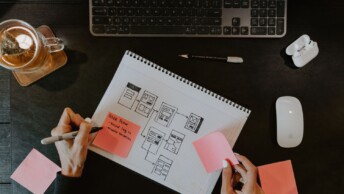
- In the short term, grab a packet of post-it notes and ask the client some questions about their current process, their customer touch points and their products or services. This will help help tease out some meaningful info about current customers and some opportunities, and in the long term leads naturally into…
- getting involved with their longer term business strategy discussions. When doing this I pay attention to three things: the strategic intent, the rationale behind it and the value for each.
- Tolerating poor business requirements at the start of a projectMore than once I’ve been brought onto a project and asked to turn a business requirements document into a user-friendly website, only to find the document was a collection of meaningless mission statements and half-baked business opportunities. If the requirements aren’t right, you’ll end up ignoring them or working on the wrong solution.
- Getting bogged down in documentationBeing a details person and a perfectionist, limiting my documentation doesn’t come naturally, and I’ll often catch myself getting more excited about the document formatting than the actual content. There have also been times when I’ve continued updating wireframes when I should have stopped and moved to a rough prototype or an interface design.
One thing I keep in mind is Einstein’s quote:
Everything should be made as simple as possible, but no simpler.
Now I do a lot of hand sketching, cobbled-together paper prototypes and hacked together proof-of-concept screens. Jumping in the deep end lets me get to testing quicker, and stops those late nights writing up documentation that nobody reads.
- Getting bogged down in documentationBeing a details person and a perfectionist, limiting my documentation doesn’t come naturally, and I’ll often catch myself getting more excited about the document formatting than the actual content. There have also been times when I’ve continued updating wireframes when I should have stopped and moved to a rough prototype or an interface design.
- Giving up on testing when there is not enough time or moneyTesting is often the first thing to fall off a project—sometimes it feels as if UXers are employed only for their usability review skills. But user research and usability testing are not optional extras, so I try hard not to take no for an answer. It also means I have some interesting party conversations and get to do a lot of guerrilla testing with friends, co-workers and anyone else that fits the general audience requirements. If you’re passionate about it and have interesting points to share, most people are more than happy to help.
- Falling into subjective discussionsI used to work with a client that had a strong corporate culture of valuing experience and gut feel. This was great for their business, but would drive me up the wall when trying to work through design decisions. The only way I could get around this was to run quick exercises with the decision-makers. For example, together we would make a list of the business objectives for the project, and I’d then give each stakeholder a limited number of points to place against each objective for importance and viability. Games like this helped re-focus discussions on objective logic.
- Getting caught up in design fadsUsing current trends (like responsive design, banner carousels, social buttons and one-page layouts) is how we like to show that we’re on the cutting edge. But are we really?
If we follow a robust design process we should be including design elements because they address a specific need in a way nothing else can. There is also an interesting psychological effect that happens with websites that look well-designed—they are more often considered more usable, even if they actually aren’t! Be aware of the fads and design patterns, but use them selectively to solve the right problems.
As with any job, sometimes you just have to cop it sweet and live in tension with a problem—particularly if the problem lies with someone else. But using the hints and tips above should help you avoid the biggest issues.
What problems do you face in your UX work, and how have you dealt with them successfully? I’d really love to hear your stories in the comments!